

Most smart water leak detectors have the same flaw, and nobody selling them wants to talk about it: they run on Wi-Fi. Which means the sensor you most need — the one in the crawlspace, the detached garage, the far corner of the basement, the well house forty metres from the router — is sitting exactly where your Wi-Fi doesn’t reach.
A leak sensor that can’t report a leak is a decoration.
This is the specific problem YoLink was built to solve. Instead of Wi-Fi, its sensors talk to a hub over LoRa — a low-frequency radio protocol designed for long distances and thick walls. The hub handles the internet connection; the sensors just need to reach the hub.
This guide covers which YoLink devices are worth buying for water protection, what the full system actually costs, and the genuine drawbacks you should weigh before committing to the ecosystem.
Quick Picks
| Use case | Best pick | Price |
|---|---|---|
| Best starting point | Water Leak Sensor 4 | $19.99 |
| Best complete protection | Valve Controller 2 & EVO bundle with hub | $299.99 |
| Best for audible alerts | SpeakerHub | $24.95 |
| Best for freezers and pipes | X3 Temp & Humidity Starter Kit | $109.99 |
| Best appliance shutoff | Smart Energy Plug 15A | $24.99 |
| Best whole-home metering | FlowSmart All-in-One | See store |
Why LoRa Matters More Than the Sensor Itself
Before the product list, the thing that actually determines whether any of this works.
Wi-Fi runs at 2.4GHz and 5GHz — frequencies chosen for bandwidth, not for penetrating concrete. LoRa runs at a much lower sub-GHz frequency. Lower frequency means longer wavelength, and longer wavelength travels further and passes through building materials more effectively. The trade-off is bandwidth, which is irrelevant here: a leak sensor transmits a few bytes saying “wet” or “not wet.”
Practically, this changes where you can put sensors. Crawlspaces, sump pits, detached garages, barns, well houses, second properties on the same lot — locations where a Wi-Fi sensor either won’t connect or will drop off silently after a router reboot.
It also changes battery life. Wi-Fi radios are power-hungry; LoRa isn’t. YoLink sensors run for years on standard batteries rather than months, and they use common cells rather than proprietary packs.
The independent coverage backs this up: reviewers at TurboFuture specifically credited the protocol’s ability to cover greater distances than Wi-Fi while easing the load on home routers, and Wired singled out the leak sensors as the pick for large properties.
1. Water Leak Sensor 4 — $19.99
The one to start with.

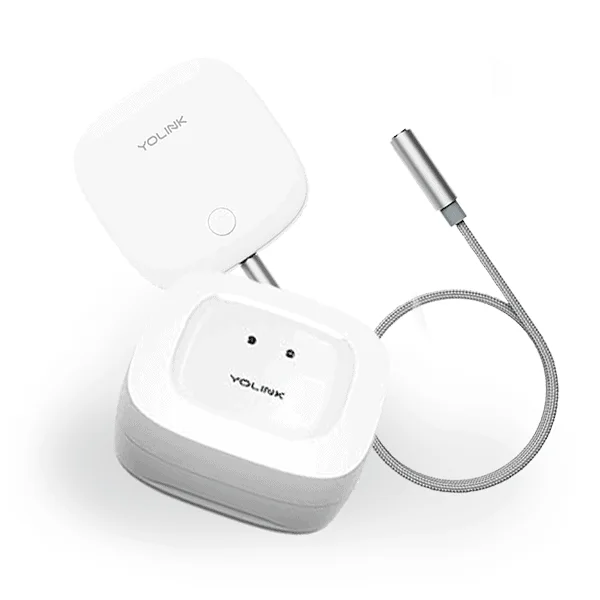
This is the current-generation leak sensor and the entry point to the whole system. It’s a puck you drop under a sink, behind a toilet, beside the water heater, or in front of the washing machine. When the contacts get wet, you get a push notification.
Twenty dollars is the number that matters here. Water damage is the most common and most expensive homeowner insurance claim after wind — a burst supply line can produce five figures of damage in an afternoon. At $19.99 per protected location, the economics aren’t close.
Buy in multiples. The store sells 3-packs and 10-packs, and the honest advice is that almost nobody buys enough sensors the first time. The standard coverage list: under every sink, behind every toilet, at the water heater and its relief valve, at the dishwasher, at the washing machine, and in the sump pit. That’s typically eight to twelve locations in an average house.
Related option: Water Leak Sensor 2 uses a corded probe rather than an integrated pad, which lets you position the electronics above potential water while the probe sits at floor level. There’s also a ruggedized wall-mount bracket accessory — worth adding if the sensors will be visible, since it tidies the cable runs considerably.
Check current leak sensor pricing →
2. Valve Controller 2 & EVO Valve Operator Bundle — $299.99 (was $379.99)
The version that actually stops the flood.
Here’s the uncomfortable truth about leak sensors: a notification is only useful if you’re able to act on it. If the pipe bursts while you’re at work, on holiday, or asleep, the alert tells you about the damage rather than preventing it.
This bundle closes that gap. It pairs a motorised valve operator that physically turns your main water shutoff with the hub and three leak sensors. Detection triggers closure automatically. You come home to a dry house and a notification history instead of a claim.
The EVO operator clamps onto your existing shutoff valve rather than requiring you to cut into the supply line, which means no plumber and no permit for most installations. Reviewers consistently note that the difficulty depends almost entirely on how accessible your main shutoff is — if yours is in a tight crawlspace, budget more time and patience than the instructions suggest.
The insurance angle: many US insurers offer premium discounts for automatic water shutoff systems, sometimes 5–15%. Call your insurer before you buy and ask what they require — on a large policy the discount can recover a meaningful share of the cost over a few years. Ask specifically whether they need automatic shutoff or whether detection alone qualifies, because the answer varies by carrier.
Or: FlowSmart All-in-One Smart Ultrasonic Water Meter

The newer, more sophisticated option. Rather than reacting to a floor sensor, it meters flow through the line itself — which means it can catch the leaks sensors never see: a slab leak, a pinhole in a wall cavity, a toilet running continuously. It’s NSF-certified for drinking water contact, includes automatic shutoff, and is rated for over ten years of battery life.
This is the better technical answer for whole-home protection. It’s also the bigger install and the bigger cheque. If you have a finished basement or a history of pipe problems, it’s worth pricing out.
3. SpeakerHub — $24.95 (was $39.99)
The most underrated product in the range.
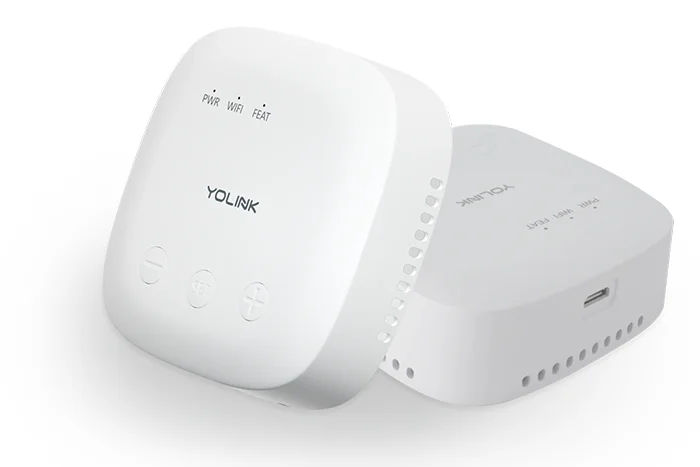
Every YoLink sensor needs a hub, so you’re buying one regardless. The question is which. The SpeakerHub costs about the same as the standard hub but adds a speaker with text-to-speech, meaning your alerts get announced out loud in the house rather than only appearing on a phone.
This matters more than it sounds. Phone notifications get missed — silenced overnight, buried under other alerts, ignored during a meeting. A voice announcement saying the basement sensor is wet cuts through in a way a banner doesn’t. You can write custom messages per device, so the alert names the location.
If you’re buying your first hub and the price difference is this small, take the speaker.
Note on hubs generally: the standard YoLink Hub supports Ethernet as well as Wi-Fi, which reviewers repeatedly call out as the more reliable setup. If your router is near where the hub will live, use the cable.
4. X3 Temperature & Humidity Sensors — Starter Kit $109.99 (was $129.99)
For the leaks that haven’t happened yet.
Frozen pipes are a leak with a delay. A temperature sensor in the crawlspace, attic, garage or against an exterior wall gives you a warning window — hours to open a cabinet, run a trickle, or get a space heater in place — before a pipe splits.
The same sensors do double duty on freezers and refrigerators, which is where a surprising share of the customer feedback focuses. A chest freezer failing unnoticed during a weekend away costs several hundred dollars in food. Multiple reviewers describe exactly this save.
The starter kit includes two sensors plus a hub, which makes it the cheapest way into the ecosystem if temperature monitoring is your primary concern rather than water.
5. Smart Energy Plug 15A — $24.99
Turns detection into action for anything that plugs in.
The valve controller handles your main line. This handles everything else. Pair the plug with a leak sensor and you can automatically cut power to a washing machine, dishwasher, water pump, ice maker or aquarium pump the moment moisture is detected.
One customer describes the exact use case that sells it: a pump feeding water to a refrigerator, where a leak would otherwise let the pump run dry, burn itself out and flood the room. Sensor detects, plug cuts power, alert goes out.
It also does real-time energy monitoring and overload protection, and it’s rated for 15A high-draw devices rather than the 10A most smart plugs cap at — which matters for space heaters, sump pumps and dehumidifiers.
Rounding Out the System
Water is the strongest use case, but a few adjacent products are worth knowing about since they share the hub you’ve already bought:
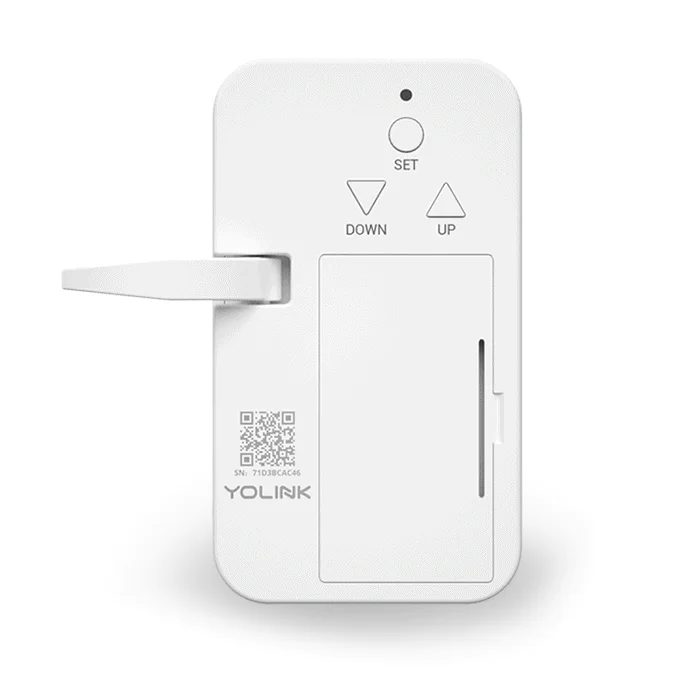
- Garage Door Controller 1 — $29.59. Answers “did I leave the garage open” and lets you close it remotely. One of the highest satisfaction-per-dollar items in the catalogue.
- Vibration Sensor — $24.59. Doubles as glass-break detection and as a washing-machine or sump-pump activity monitor.
- Photoelectric Smoke Alarm — $49.99, or $223.80 for five. Brings smoke detection into the same alert stream as everything else.
- Smart Deadbolt Lock — $89.99 keypad, $104.99 with fingerprint. Keyless entry on the same LoRa network, so it works where Wi-Fi locks struggle.
- FlexSwitch — $39.95. Smart switching without rewiring.
- Trapeezee Smart Mouse Trap Kit — $55.99, hub included. Genuinely novel: the trap reports when it’s triggered, so you check it when there’s a reason to.
What You Should Know Before Committing
An honest review covers the friction. Here’s what to weigh.
Everything requires a hub
Almost every sensor in the range is useless on its own. That’s the cost of LoRa — the sensors don’t speak IP, so something has to translate. Practically it means your first purchase is never a $19.99 sensor; it’s a sensor plus a hub. Budget accordingly, and buy a starter kit rather than separate items if you’re beginning from zero.
It’s also a single point of failure. Hub down means the whole system is down. If you’re protecting something genuinely valuable, a second hub is cheap insurance.
This is a closed ecosystem
YoLink’s LoRa implementation is proprietary. Your sensors will not work with another brand’s hub, and other brands’ sensors won’t work with yours. You are choosing a vendor, not just a product. Listed integrations cover Alexa, Google Assistant, IFTTT and Home Assistant — verify current support for your specific platform on the product page before ordering, since integration lists change.
The Home Assistant support is the meaningful escape hatch for advanced users. If local control matters to you, investigate what that integration actually exposes before you scale up.
Alerts depend on the cloud
Device-to-device automations can run locally, which several reviewers specifically praise — a leak sensor can trigger a valve closure without internet. But push notifications to your phone route through servers. Internet outage means no remote alerts, even though local automation keeps working.
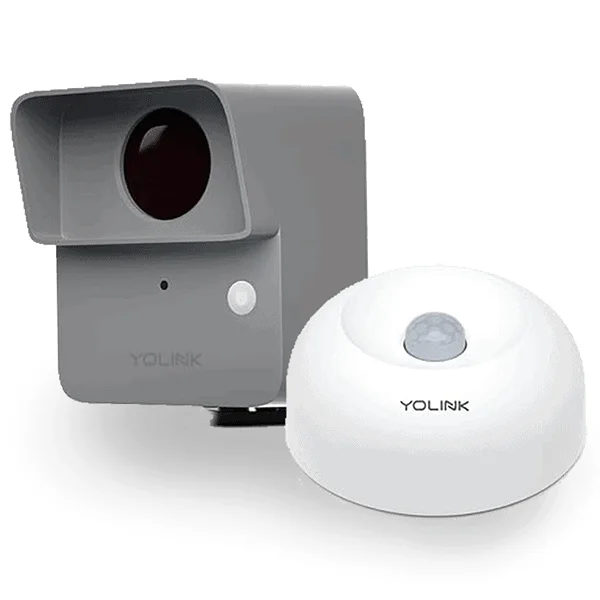
Some newer products need Amazon Sidewalk
A couple of outdoor sensors are listed as requiring an Amazon Sidewalk gateway rather than a YoLink hub. That’s a different network with different coverage and privacy implications. Read the product title carefully — it’s stated, but easy to skim past.
Check the security advisories
The company publishes security advisories on its support pages. Publishing them at all is a positive signal — plenty of smart home vendors don’t — but if you’re putting a connected lock on your front door, read what’s there before you buy rather than after.
What’s reassuring
- Two-year warranty on most products, which is longer than the category norm.
- US-based phone support with lifetime support commitment, from a company headquartered in Lake Forest, California. Several reviews describe straightforward warranty replacements.
- Free US shipping over $50 and a stated hassle-free returns policy.
- Over 2,000 published reviews across the catalogue, with a consistent theme: setup is fast and the devices stay connected. For smart home hardware, “it just keeps working” is the highest praise available.
- Third-party recognition from Wired, This Old House, BestReviews and TurboFuture.
How to Build Your System: A Staged Approach
Don’t buy everything at once. Build in stages so you learn what you actually need.
| Stage | What to buy | Rough cost |
|---|---|---|
| 1. Prove it works | SpeakerHub + 3 leak sensors | ~$85 |
| 2. Full coverage | Add sensors to reach 8–12 locations | +$100–180 |
| 3. Stop the water | Valve Controller 2 & EVO bundle | $299.99 |
| 4. Prevent the freeze | 2–3 temperature sensors | +$60–110 |
| 5. Appliance cutoff | Energy plugs on washer and pumps | +$25 each |
Stage one is the honest test. If the sensors connect easily and stay connected in the awkward corners of your house, the rest is worth doing. If they don’t, you’ve spent under a hundred dollars finding out.
See starter kits and current pricing →
Frequently Asked Questions
Do YoLink sensors work without Wi-Fi?
The sensors themselves never use Wi-Fi — they communicate with the hub over LoRa radio. The hub needs an internet connection, via Ethernet or Wi-Fi, to send notifications to your phone. Device-to-device automations, such as a leak sensor closing a valve, can run without internet.
How far will the sensors actually reach?
Manufacturer range figures assume open ground and won’t match your house. Real-world performance depends on wall construction, floors between devices, and metal or concrete in the path. What’s consistent in customer reports is that the range comfortably exceeds Wi-Fi in the same building — enough to cover detached garages and crawlspaces that Wi-Fi sensors can’t reach. Place your hub centrally and test the furthest sensor first.
How many leak sensors do I need?
One per water source. For a typical house that’s eight to twelve: under each sink, behind each toilet, at the water heater and its relief valve, at the dishwasher, at the washing machine, and in the sump pit. Multi-packs are the cost-effective way to get there.
Will this get me an insurance discount?
Often, but it depends entirely on your carrier. Discounts for automatic water shutoff systems are common in the US and typically fall in the 5–15% range. Call before buying and ask what qualifies — some insurers require automatic shutoff, others accept monitored detection alone, and some require professional installation.
What batteries do the sensors use?
Standard, commonly available cells rather than proprietary packs — a point customers raise repeatedly as a reason for choosing the system. Because LoRa uses far less power than Wi-Fi, expected battery life is measured in years, and the app displays remaining battery per device.
Can I use these with Home Assistant?
Home Assistant is listed among the supported integrations, which is the main route to local control and custom automation. Check the current state of the integration for the specific devices you want before building a system around it.
The Verdict
If your home is small, open-plan and blanketed in strong Wi-Fi, plenty of leak detectors will do the job and some are cheaper. Buy those.
If your home is large, older, multi-storey, has a crawlspace or basement, or includes outbuildings — this is the system to buy. The range advantage isn’t marketing; it’s a different radio protocol solving a problem Wi-Fi sensors structurally cannot. And the pricing is unusually reasonable for what it is: twenty dollars a sensor, with a full automatic shutoff system for under three hundred.
Strengths: LoRa range that genuinely reaches where Wi-Fi doesn’t, multi-year battery life on standard cells, low per-sensor pricing, automatic shutoff that prevents damage rather than reporting it, two-year warranty, and US-based support with a strong track record in customer reports.
Weaknesses: a hub is required and is a single point of failure, the ecosystem is proprietary and locks you to one vendor, remote notifications depend on cloud connectivity, and a handful of products require Amazon Sidewalk rather than the YoLink hub.
Rating: 9/10 for water leak protection specifically. Start with a hub and three sensors. If they connect where your Wi-Fi doesn’t, build out from there.
Prices and availability reflect published listings as of August 2026 and are subject to change. Insurance discount availability varies by carrier and jurisdiction — confirm with your own insurer. As an affiliate, I earn from qualifying purchases made through links on this page.



Write Your Review
No reviews yet. Be the first to share your experience!