

Most data integration tools bill you for connectors. Coupler.io does not, and that is genuinely the best thing about it: every one of its 400 plus sources is available on every paid plan, including the $24 one. There is no “Google Ads is a premium connector” tax, no per-integration pricing, no separate license for the destination.
Instead there is one meter, called accounts, and it runs from 3 on the cheapest paid plan to 50 on the most expensive published one. The pricing page sums this up in a single line: “All sources included. Scale accounts and destinations as you grow.”
That is a fair description of the business model. The problem is that the pricing page also tells you what an account is, and the definition it gives is not the one the billing system uses. The help center has the real rule, it is three rules rather than one, and for the ad platforms most people buy this tool for, the real rule produces a bigger number.
So this guide does the arithmetic on Coupler.io: what the five plans cost, how accounts are actually counted, which plan a real setup lands on, and the limits that only show up after the card is charged.
Quick Picks
| If you are… | Plan | Per month | Why |
|---|---|---|---|
| Checking whether this replaces a manual export | Free | $0 | 1 account, no scheduling, 100 rows per run. Enough to see the shape of it, not to run on |
| One business, one ad account, one analytics property | Starter | $24 annual / $32 monthly | 3 accounts is the cap, and blending is included despite what the plan card implies |
| A business running 2 to 4 channels plus a CRM | Active | $99 annual / $132 monthly | 15 accounts, unlimited rows, unlimited users, 3 destinations |
| An agency with roughly 5 to 12 clients | Pro | $199 annual / $259 monthly | 50 accounts, hourly refresh, unlimited destinations |
| A multi-location business on Google Business Profile | Pro, probably | $199 annual | Each location counts as one account, so 20 locations is 20 of your 50 |
| An agency past about 12 clients | Custom | Quoted | No published price exists above Pro. You are talking to sales |
| Needing SSO, audit logs or a 15 minute refresh | Custom | Quoted | All three are Custom only, at any price |
How I Checked This
Every number here was read off Coupler.io’s own pages on October 22, 2026, not from secondary coverage. That matters more than usual with this product, because the pricing page and the help center do not agree with each other in three specific places, and a review that quotes only one of them will be wrong about at least one of those.
Specifically, I worked from the pricing page and its full feature comparison table, the “Coupler.io Features & Limits” help article, the “Accounts limit calculation” help article and its worked examples, and the pricing page’s own FAQ. Where two of those disagree, I have said so and quoted both rather than picking the flattering one. I have not run the product’s paid tiers, so nothing here is a performance claim: this is a pricing and limits analysis, which is the part most reviews of this category skip.
The Five Plans
There are three published tiers, a free plan underneath them, and a quoted tier above. The Business tab is the only one on the pricing page with numbers on it.
| Free | Starter | Active | Pro | Custom | |
|---|---|---|---|---|---|
| Billed monthly | $0 | $32 | $132 | $259 | Quoted |
| Billed annually | $0 | $24/mo | $99/mo | $199/mo | Quoted |
| Annual cost | $0 | $288 | $1,188 | $2,388 | Quoted |
| Accounts | 1 | 3 | 15 | 50 | Custom |
| Data destinations | 1 | 1 | 3 | Unlimited | Custom |
| Refresh | Manual | Daily | Daily | Hourly | Every 15 min |
| Users | 1 | 1 | Unlimited | Unlimited | Unlimited |
| Rows per run | 100 | 5,000 | Unlimited | Unlimited | Unlimited |
| AI Agent credits | None | 900 | 1,500 | 3,000 | 6,000 |
| AI Insights | None | 5 | 25 | 100 | Custom |
| SSO, audit logs | No | No | No | No | Yes |
Two things in that table deserve attention before anything else.
Active and Starter get the same refresh frequency. Both are daily. You pay roughly four times as much for Active and the data arrives on exactly the same schedule. What Active buys is capacity, not freshness: 15 accounts instead of 3, unlimited rows instead of 5,000, unlimited users instead of 1, three destinations instead of one. If your problem is “my dashboard is stale by lunchtime”, Active does not solve it and Pro at $199 a month is the first plan that does.
Everything an IT department asks for is Custom only. Single sign-on, audit logs, and the 15 minute refresh are all unavailable at $259 a month. The FAQ confirms SSO explicitly: “Single sign-on via SAML 2.0 is available on the Custom plan.” There is no middle option where a 30 person company buys SSO without entering a sales process.
The annual discount is 25 percent, except on the plan most likely to buy it
The toggle on the pricing page reads “Save 25% with annual billing”. On two of the three plans that is exact:
| Plan | Monthly | Annual | Saving | Advertised |
|---|---|---|---|---|
| Starter | $32 | $24 | 25.0% | 25% |
| Active | $132 | $99 | 25.0% | 25% |
| Pro | $259 | $199 | 23.2% | 25% |
A true 25 percent off $259 is $194.25, not $199. Over a year the gap is $57. That is not a scandal and I suspect it is a rounding decision rather than a trick, but it is worth knowing that the plan with the largest bill is the one where the headline discount is not delivered in full, and worth checking the invoice rather than assuming the toggle.
The Account Limit Is the Real Price Tag
Here is the sentence the pricing FAQ uses to define the unit you are buying:
“An account refers to a single advertising, analytics, or CRM account you can connect from any data source.”
And here is the help center being more concrete, on the “Features & Limits” page:
“For instance, if you connect Facebook Ads, Google Ads, and TikTok Ads, that counts as 3 accounts.”
Read those two together and you would reasonably conclude that an account means a connected platform. Three platforms, three accounts. On the Active plan you would get fifteen platforms, which sounds enormous.
That is not how it is counted. The dedicated “Accounts limit calculation” article documents the real rule for 56 sources, and it describes three different counting models:
| Model | Sources | What equals one account | Effect |
|---|---|---|---|
| Account-based | 30 documented | One credential added in Coupler.io | Cheapest. Unlimited data flows and entities on that credential still count as 1 |
| Tenant-based | 22 documented | Each ad account, property, page, location, site, profile or tenant selected | Multiplies. One credential can consume many accounts |
| URL / API key-based | 4 documented | Each data source, counted per use | Scales with the number of flows, not the number of accounts |
The split is the whole story, because of which sources landed in which bucket. Every major advertising platform is tenant-based: Google Ads, Facebook (Meta) Ads, Instagram Ads, LinkedIn Ads, TikTok Ads, Microsoft Ads, Pinterest Ads, Snapchat Ads, X (Twitter) Ads, Amazon Ads and Quora Ads all count one account per ad account selected. Google Analytics 4 counts one per property. Google Search Console counts one per site. Google Business Profile counts one per location. Xero counts one per tenant.
So the Features & Limits example is true only in its narrowest case. “Connect Facebook Ads, Google Ads, and TikTok Ads” is 3 accounts if you select exactly one ad account inside each. An agency connecting the same three platforms for five clients selects fifteen ad accounts and has used the entire Active plan, on three platforms, for five clients.
What that means for a real setup
Four plausible setups, counted by the documented rules rather than the friendly definition:
| Setup | How it counts | Accounts | Plan needed |
|---|---|---|---|
| Solo business, one of everything | 1 Google Ads account, 1 GA4 property, 1 Shopify credential | 3 | Starter, exactly at the cap |
| E-commerce brand, multi-channel | 2 Google Ads accounts, 1 Meta Ads, 1 GA4 property, 1 Search Console site, Shopify, Klaviyo, Mailchimp | 8 | Active |
| Agency, 10 clients | Per client: 1 Google Ads, 1 Meta Ads, 1 GA4 property, 1 Search Console site | 40 | Pro |
| Franchise, 20 locations | Google Business Profile, one credential, 20 locations | 20 | Pro, from a single source |
The franchise row is the one that catches people. It is one platform, one login, one credential and one dashboard, and it consumes 20 of the 50 accounts on the most expensive published plan, because Google Business Profile is counted per location.
The rule that counts the same key twice
The fourth bucket is small but it behaves unlike the other two. For Airtable, Clockify, CSV and JSON, the unit is the data source rather than the credential, and Coupler.io’s own worked example spells out the consequence:
“Even though there are only 3 unique URLs (URL1, URL2, and URL3), 4 URLs are used in total across the whole organization, so all of them were counted independently.”
In that example an organization has two data flows using three distinct Airtable URLs, one of which appears in both flows, and is billed for four accounts. Reuse costs you. If you build a lot of small flows off one spreadsheet or one API endpoint, the meter tracks your flow count, which is the opposite of what the word “account” suggests.
Three more ways the number goes up
Duplicate credentials double-count. The documentation repeats this warning on nearly every source: “Adding duplicate credentials (even for the same Asana account) counts as a separate account.” Connect the same Facebook login twice and you are billed twice for it. There is a worked example where two credentials for the same two ad accounts produce three accounts rather than two.
Client workspaces multiply it. Workspaces are Coupler.io’s headline agency feature, one isolated space per client. The limits page then adds: “Even though workspaces are isolated, usage is still counted at the organization level. For example, if you connect the same source account in two different workspaces, it counts twice for billing purposes.” The structure they recommend for agencies is the structure that taxes the meter hardest.
The counting rules are published for 56 sources out of 400 plus. That is the catalog of documented behaviour. For everything outside it, including most of the long tail, there is no published rule telling you whether a connection costs one account or several, which makes a setup difficult to price before you build it.
What happens when you hit the cap
This is the part that turns a pricing question into an operations question. Exceeding the account limit does not simply block new connections. From the help center:
“Once you exceed the account limit and run a data flow, your data flows will fail with the following error: Last import was finished with an error: You’ve exceeded the maximum number of accounts allowed by your plan. Please upgrade to add more connections or disable an existing one.”
Existing, working, scheduled pipelines stop. If you add one client on a Friday and quietly cross the line, the dashboards your other clients look at on Monday are the ones that break. The documented remedies are to disable or delete accounts, upgrade, or contact support to buy additional accounts on top of your current plan, which is available from the Starter tier upward and is not priced publicly.
Where the Published Numbers Disagree
Three places where Coupler.io’s own pages contradict each other. Two of them cost you money, and one of them saves you money, which is worth saying because it means this is sloppiness rather than a pattern of pushing people upward.
1. Workspaces on Pro: three, or unlimited
The pricing page comparison table gives Pro 3 workspaces. The Features & Limits help article gives Pro unlimited workspaces. The Agency tab promises “Unlimited team & client workspaces” without saying which plan that is.
For an agency running one workspace per client, this is the single most consequential number on the page, and it is published as both 3 and unlimited. If you are buying Pro specifically for client separation, get this in writing before you pay, because the difference is between three clients and all of them.
2. Starter includes blending, but the plan card does not say so
The Starter card lists five things: 400+ data sources, 1 user, 5000 rows/run, dashboard templates, AI data analysis. It does not mention data transformations. The Active card directly below it does, which reads as a clear upgrade reason.
The full comparison table on the same page tells a different story. Append, Join, Aggregation and Custom formulas are all ticked for Starter. Only the Free plan is excluded. The no-code blending that Coupler.io’s own FAQ names as its main advantage over native connectors is on the $24 plan, and the plan card gives no sign of it.
If you were about to jump from Starter to Active at four times the price to get cross-channel blending, check the comparison table first. You may already have it, and the real reasons to move to Active are the row cap, the user cap and the destination cap.
3. Destinations: eleven, or thirteen
The FAQ describes “400+ data connectors that integrate with over 11 data destinations”. The comparison table on the same page lists thirteen: Data Studio, Google Sheets, BigQuery, Power BI, Microsoft Excel, Snowflake, PostgreSQL, Redshift, JSON, Tableau, Qlik, CSV and Supabase. The error here is in your favour, but it is a sign of copy that has not been reconciled in a while.
The Limits That Bite After You Buy
The row cap is measured before your filters, and it truncates quietly
Starter allows 5,000 rows per run and Free allows 100. The important detail is where in the pipeline that gets measured:
“The data volume limit is calculated on the source data before any transformations in the Data sets step, not on the filtered output. If you pull 150 rows but filter down to 80 in Data sets, the run still counts as 150 rows against your limit.”
So you cannot stay inside the cap by filtering in Coupler.io. You have to filter at the source, which is not always possible depending on the API.
Then there is what happens when you cross it: “Your data will be imported to the destination in any case. However, if your data volume limit is reached, you’ll get a cutout dataset.”
The flow does not fail. It completes, writes a truncated dataset to your dashboard, and shows a warning inside the app that is “only visible after a data flow’s finished run that exceeds the limit”. Coupler.io has a dedicated troubleshooting article titled “Import finished successfully, but data was truncated”, which tells you how often this is encountered. There is a backstop, in that scheduled refreshes are paused for that flow and an email is sent once it happens, but the first affected run still lands in the destination.
For a reporting tool this is the risk that matters more than the price. A dashboard that is wrong is worse than a dashboard that is down, because nobody investigates a chart that rendered. If you are on Starter and pulling anything with real volume, such as ad data at the ad level or a busy e-commerce order table, assume you will meet this limit and treat Active’s unlimited rows as the actual entry tier rather than a luxury.
One destination on Starter means one destination forever
The destination cap is not a count of connections, it is a count of destination applications, and on Starter it is one. The help center explains what that locks:
“If your first data flow exports to Google Sheets, all subsequent data flows must also use Google Sheets. You cannot export to Data Studio, BigQuery, or any other destination until you upgrade or reconfigure your setup.”
Switching requires deleting all the data flows using the current destination, or updating every one of them. Your first choice on the cheapest plan is therefore a commitment, and it is the kind of commitment that is easy to make casually in the first ten minutes of a trial.
The free plan is a demo, and it arrives by default
Signing up starts a 7 day trial on Pro limits. When it ends, per the FAQ, “The Free plan will be automatically set in your account if you don’t pick a paid plan”. You land on 1 account, manual refresh only, and 100 rows per data flow run, with one of your created flows active.
That is a reasonable way to keep an account alive, but it is not a usable free tier, and the transition is silent. A trial that was refreshing hourly across several sources becomes a single manual flow capped at 100 rows. Plan the evaluation accordingly: build the thing you actually intend to run during those seven days, and count your accounts while you do it.
What Coupler.io Gets Right
The criticisms above are about disclosure, not capability. The product underneath is strong, and a few things about it are genuinely better than the category norm.
No connector tax. This deserves repeating because it is rare. Every source and every destination is on every paid plan. The pricing page states it plainly in the FAQ: “No, all data sources and destinations are available on every plan.” Tools that charge per connector, or that reserve Salesforce and NetSuite for an enterprise tier, make this comparison easy to win.
Transformations are not held back. Append, join, aggregation and custom formulas start at $24 a month. In a category where “blending” is routinely the upsell, putting it on the entry plan is a real decision.
You do not necessarily need a BI tool. Coupler.io renders dashboards natively, with 230 plus templates, which means a small business can get to a working report without Looker Studio or Power BI in the chain. For the many teams whose “data warehouse” is a spreadsheet and some hope, that is the right shape of product.
The security posture is stated. SOC 2 Type II and GDPR are claimed on every plan including Free, with HIPAA Ready and DORA Aligned listed on the enterprise tier. The vendor is Railsware Products Studio, LLC, which also runs Mailtrap and TitanApps, so this is not a one product company that might vanish.
Support is not paywalled into uselessness. Email support starts at Starter. Priority support starts at Pro. The knowledge base and an AI assistant are on every plan, including Free.
AI and MCP, With One Caveat Worth Knowing
Coupler.io has leaned hard into AI access. The platform exposes your data to Claude, ChatGPT, Gemini, Copilot, Cursor and Perplexity, publishes MCP servers for individual sources such as Google Ads, Meta Ads, Google Analytics, BigQuery, Shopify, QuickBooks and Xero, and offers a custom MCP connector. The banner at the top of the pricing page reads “Connect your data to Claude in 1 minute”.
There are two separate meters here, both in the comparison table rather than on the plan cards. The AI Agent, which answers questions about your data, runs on credits: 900 a month on Starter, rising to 6,000 on Custom, with consumption that “is based on how much data and context are given to the agent”, so it is not predictable in advance. AI Insights, which summarizes a dashboard on demand, is counted in clicks: 5 a month on Starter, 25 on Active, 100 on Pro. Neither number appears on the plan cards, which say only “AI data analysis” with a tick.
The caveat is a good-faith one and Coupler.io documents it themselves. On Claude’s individual Free and Pro plans, the official Coupler.io connector from Claude’s directory “may connect but its tools fail to load”, so Claude cannot see your data. Claude Team and Enterprise are unaffected. The workaround is to use Coupler.io’s custom connector URL instead, and the help article adds a detail that will save somebody an afternoon: when naming it in Claude, use plain letters and spaces only, because a name containing a dot can stop the connector working. “Coupler.io” is a bad name for the Coupler.io connector.
Credit for publishing that at all. It is a problem on the other side of the integration, and the easy choice would have been to stay quiet. It is the same instinct I noted in Reclaim.ai’s MCP implementation, where the safeguards were documented rather than assumed.
Agencies: The Tier With No Published Price
The pricing page has three tabs. Business carries the numbers above. Enterprise is a quote. The Agency tab, which is the audience this product is most obviously built for, is also a quote: accounts “sized to your portfolio”, unlimited destinations, 15 minute refresh, unlimited client workspaces, and a button that says talk to sales. The copy is candid about it: “Most tools hand you the keys and disappear. We don’t. Let’s map your setup and price together.”
That is a defensible way to sell to agencies, whose needs genuinely vary. It does mean that if your agency is past roughly a dozen clients, nothing on this page tells you what you will pay, and the published ladder stops at $259 a month for 50 accounts. Use the counting rules above to work out your real account number before that call, because it is the number the quote will be built from and you will negotiate better knowing it.
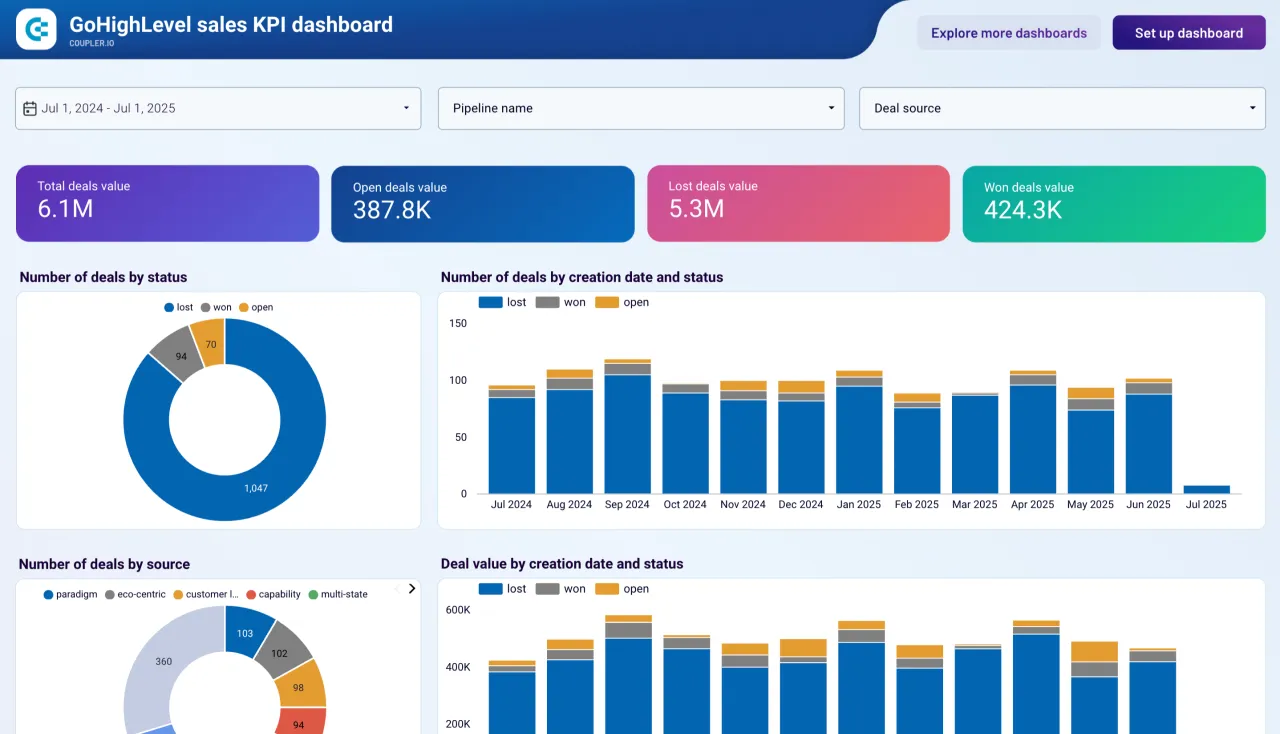
That GoHighLevel footnote is a good illustration of how the meter interacts with the tools agencies already run. One credential covers one sub-account, so an agency reporting on twelve GoHighLevel sub-accounts needs twelve credentials, which is twelve accounts, which is a quarter of the Pro plan before a single ad platform is connected. If you are running that stack, the sub-account arithmetic in my GoHighLevel pricing breakdown compounds with this one rather than sitting beside it.
Who Should Skip Coupler.io
- Anyone who needs sub-hourly data below the Custom tier. Hourly at $199 a month is the published floor, and 15 minutes requires a sales conversation. If your use case is operational rather than reporting, this is the wrong shape of tool.
- Companies that need SSO or audit logs on a budget. Both are Custom only. There is no $300 a month plan with SAML.
- Teams with genuine engineering capacity and a warehouse already running. If you have dbt, a warehouse and someone who writes SQL, the no-code transformation layer is solving a problem you do not have, and dedicated ELT tooling will be a better fit.
- Anyone whose main source is outside the documented 56. Not because it will not work, but because you cannot price it in advance, and the account meter is the whole bill.
- Single-source users with one simple export. If you want Google Ads into Sheets and nothing else, the native connector is free and this is overkill.
Frequently Asked Questions
How much does Coupler.io cost?
Free, then $24, $99 or $199 per month billed annually for Starter, Active and Pro. Billed monthly those are $32, $132 and $259. Above Pro the Agency and Enterprise tiers are quoted. The annual commitments work out to $288, $1,188 and $2,388 a year.
What counts as an account?
It depends on the source. Thirty documented sources count one account per credential. Twenty-two count one account per ad account, property, page, location, site, profile or tenant you select, which includes every major ad platform and GA4. Four count one per data source used, so the same URL in two flows counts twice. The simplified definition on the pricing page describes only the first case.
Is the free plan actually usable?
For evaluation, not for running anything. One account, no automated refresh, 100 rows per run. You get seven days on Pro limits first, and the drop to Free happens automatically if you do not pick a plan.
Do I lose data if I exceed the row limit?
The run still writes to your destination, but truncated, and the warning appears only after the run finishes. Scheduled refreshes for that flow are then paused and you are emailed. Filtering inside Coupler.io does not help, because the limit is measured on what the source returns before transformations.
What happens if I go over the account limit?
Your existing data flows fail, not just new ones. You can disable or delete accounts, upgrade, or ask support about buying extra accounts on your current plan, which is offered from Starter upward but not publicly priced.
Does Starter include data blending?
According to the feature comparison table, yes: append, join, aggregation and custom formulas are all included. The Starter plan card does not list them, so check the table rather than the card before upgrading for that reason alone.
Does it work with Claude and other AI tools?
Yes, through official and custom MCP connectors, plus per-source MCP servers. On Claude’s individual Free and Pro plans the official connector’s tools may fail to load and Coupler.io recommends the custom connector instead, with a name containing no dots or special characters.
Final Thoughts
Coupler.io is a good product with a pricing page that is easier to misread than it should be. The engineering decisions are mostly generous: every connector on every plan, blending at the entry tier, native dashboards so a small team can skip BI tooling entirely, and a parent company with a track record. The security and compliance story is stated rather than implied.
What it asks of you is homework. The unit you are buying is counted three different ways, the simplified definition published in two places is the one that undercounts, the structure recommended for agencies multiplies the meter, and the number that decides whether your dashboards keep running is also the number hardest to predict before you build. None of that is hidden, and credit where it is due: the counting rules, the truncation behaviour and the Claude connector problem are all documented in public, in detail, by the vendor. It is just documented three clicks away from the price.
So do the count first. Add up your ad accounts rather than your ad platforms, add your GA4 properties, add your Search Console sites, add a location for every storefront, and double anything you plan to connect in two workspaces. Then pick the plan. If that total is under 15 you are looking at a $99 a month tool that does a lot, and that is a reasonable place to land. If it is over 50, the published pricing never applied to you in the first place, and you should walk into the sales call already knowing your number.
You can start on the free tier and run the seven day trial on Coupler.io before committing, which is the right way to do the count: build the real thing, watch the accounts meter while you build it, and let the number choose the plan.





Write Your Review
No reviews yet. Be the first to share your experience!