

Most tools in this category sell you the same promise: type a topic, get a video for TikTok. The difference between them is almost never the output. It is what the credit meter does while you are not looking.
So this guide does two things with Vid.AI. It works out the real cost per finished minute on each of the three plans, which turns out to be non-monotonic in a way the pricing page does not flag. And it looks closely at the thing almost no competitor has: a documented MCP server that lets you create and render videos from a conversation with Claude or ChatGPT, with a spending cap built into every call that charges you.
That second part is the reason this product is worth a separate look rather than another entry on a listicle. It is also the part every other review of it has skipped.
Quick Picks
| If you are… | Plan | Monthly | Why |
|---|---|---|---|
| Posting a few Shorts a week | Starter | $39 | 40 minutes a month at $0.98 a minute |
| Publishing daily across platforms | Pro | $199 | 300 minutes at $0.66 a minute, the best rate on the board |
| After the premium video models | Plus | $99 | The only tier with Veo 3.1 Fast and Kling 2.5 Turbo at a sane price |
| Automating from Claude or Claude Code | Starter and up | $39 | MCP works on every paid plan, with a credit cap per call |
| Automating long-form over the REST API | Pro only | $199 | The Faceless Videos endpoints require a Pro subscription |
| Making 20-minute explainers | Pro | $199 | 15 full-length videos a month instead of two |
| Using animated avatars regularly | Plus or Pro | $99+ | Avatars cost more credits than the video they appear in |
| Wanting to try before paying | None | Not offered | There is no free trial, by stated policy |
How I Checked This
No stopwatch, no rendering rig, and no claim that I have produced videos on this platform. What I did was read the company’s published material against itself and do the arithmetic.
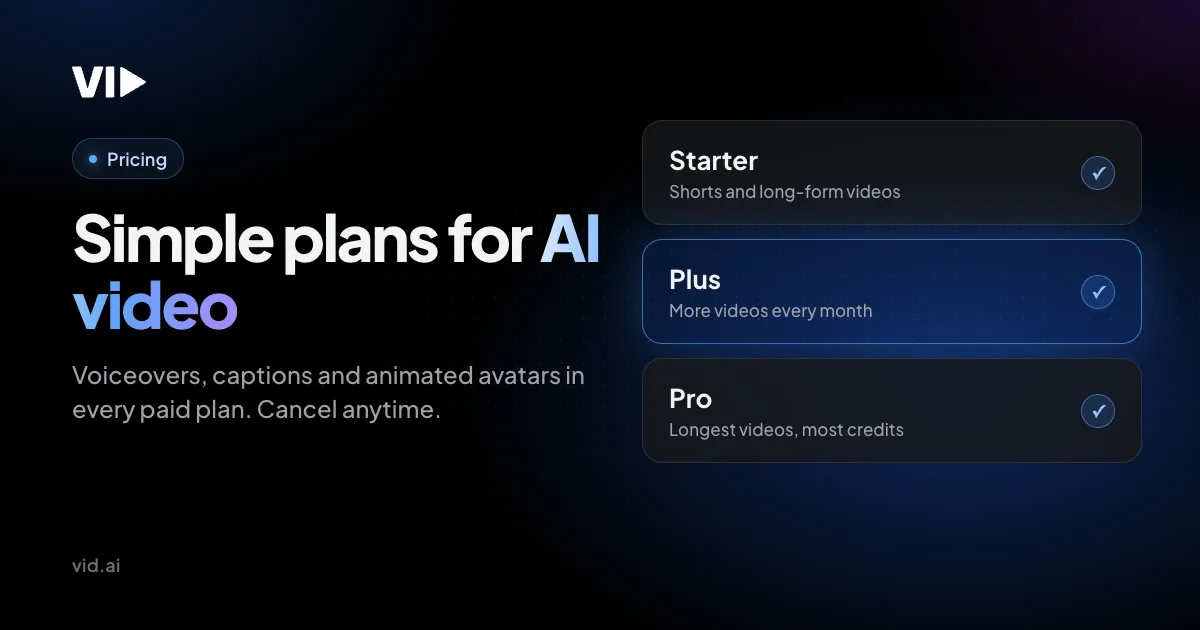
Plan prices and allowances come from the pricing page and the structured data embedded in it. The credit rate comes from Vid.AI’s own API reference, which states it directly rather than leaving it to be inferred. The MCP tool list, the confirmation rules and the spending cap come from the MCP documentation. The release history comes from the public changelog, which is unusually detailed. Where third-party reviews quote different numbers, and several quote prices roughly half the current ones, I have gone with the live page and said so.
One note on method that matters here: I did not connect to their MCP server or open an account. Everything below about the agent workflow is read from the documentation, not from running it.
The Pricing Is Simple, and the Middle Plan Is the Trap
Vid.AI’s credit model is refreshingly flat. The API reference states it plainly: a Faceless Short consumes 5 credits, and a long-form video requires “5 credits per requested minute.” One rate, both formats, no model-dependent multiplier in the published documentation.
That makes the plan cards easy to decode. Each one quotes the same allowance twice, once as one-minute Shorts and once as ten-minute long-form videos, and both work out to the same number of minutes.
| Plan | Monthly | Yearly | Minutes a month | Cost per minute, monthly | Cost per minute, yearly |
|---|---|---|---|---|---|
| Starter | $39 | $369 ($30.75/mo) | 40 | $0.975 | $0.769 |
| Plus | $99 | $947 ($78.92/mo) | 80 | $1.238 | $0.986 |
| Pro | $199 | $1,919 ($159.92/mo) | 300 | $0.663 | $0.533 |

Look at the fifth column going down. It rises, then falls. Plus costs 27 percent more per finished minute than Starter.
The pricing page describes Plus as having “twice the video allowance of Starter,” which is true. What it does not say is that it costs two and a half times as much. You are paying $60 more a month for 40 extra minutes, at $1.50 a minute for the increment, while Starter’s own minutes cost $0.98.
Plus is not a volume upgrade. It is a quality upgrade with a volume label on it. What you are actually buying is the premium model tier: Veo 3.1 Fast, Seedance 2.5, Kling 2.5 Turbo and Pro HD AI images, where Starter gets Seedance 1 Pro Fast and Wan 2.2. If those models matter to you, Plus is reasonable. If you just wanted more videos, Plus is the worst value on the board and Pro is the best.
Pro is the one the arithmetic likes. It is 2.0 times the price of Plus for 3.75 times the minutes, which the page states accurately, and it lands at $0.66 a minute monthly or $0.53 yearly. If you publish daily, that is where this product stops being expensive.
Annual billing saves 19.6 to 21.2 percent depending on tier, and the page’s “save up to 21%” is accurate: 21.2 percent is the Starter figure. Yearly plans receive the whole year of credits up front, which the changelog shows was changed on October 13, 2026, with the remainder back-filled for subscribers who had been getting them monthly.
Two smaller things on this page. The Pro card shows $299 struck through next to $199, while the FAQ states the price as $199 with no mention of $299 ever applying. And “eligible new subscribers get 50% off their first month on monthly plans,” with eligibility not defined.
What Every Plan Includes
The feature list is genuinely flat across tiers, which is the right way to do this and is worth crediting. Every paid plan gets AI script writing, ElevenLabs voiceovers, automatic captions, Storyblocks stock footage and music, animated avatars, vertical and 16:9 output, videos up to 20 minutes, and API plus MCP access.
What changes between tiers is the monthly allowance, the AI video model tier, generation speed, and priority support on Pro. The credit allowances run from 200 a month at the bottom to 1,500 at the top, per the pricing FAQ, which matches the minute figures exactly at 5 credits a minute.
Some specifics worth knowing before you pick:
- Voices: 33 hand-picked narrators on ElevenLabs v4, their newest model, or v2, plus any voice you add from the ElevenLabs Voice Library and your own cloned voice.
- Footage: licensed Storyblocks clips, with the company citing 3 million in 4K and HD, matched to what the script says.
- Styles: 12 image styles for AI scenes, covering cinematic, anime, comic art, cubism, graffiti, isometric, line drawing, natural, neon, oil painting, pixel art and watercolor.
- Intros: a 5-second cinematic opening shot generated by Seedance, with Seedance 2.5 reserved for Plus and Pro.
- Export: 1080p, with no 2K or 4K option published anywhere.
- Length: up to 20 minutes, and the API notes your plan may enforce a lower maximum.
Making Videos From Claude, and Why the Credit Cap Matters
This is the part that makes Vid.AI worth writing about separately. It has an MCP server at vid.ai/api/mcp, documented properly, that connects to Claude, ChatGPT, Claude Code, Cursor, VS Code or any agent that speaks Streamable HTTP. The in-product MCP guide shipped on October 20, 2026, the day this article is dated.
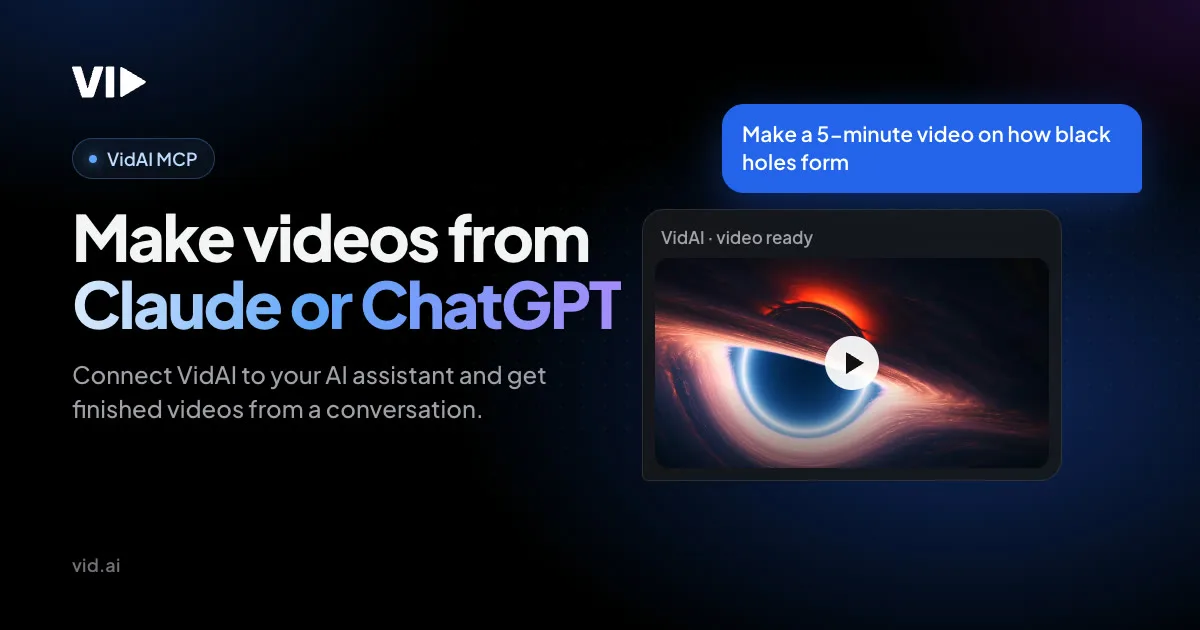
Connection is either one-click OAuth, using PKCE and an mcp:tools scope, or an MCP key as a bearer header for clients that support custom headers, with an optional expiry and revocation whenever you want. No manual client registration.
The tool surface is complete rather than token. There are read tools for your account, credit balance, projects and scripts, and list tools for voices, voice engines, image styles, avatars and upgrades. There are create, edit, generate and render tools for both Faceless Shorts and long-form Faceless Videos. Generation and rendering are asynchronous, with status tools you poll every 10 seconds for Shorts and every 30 for long-form.
Anyone who has pointed an agent at a metered API knows the obvious failure mode: the agent runs a loop and you find out what it cost afterwards. Vid.AI has designed against that specifically, and the documentation is explicit about it:
estimate_creditsreturns an itemised quote before anything is charged, and the docs state that “every price comes from the server’s own pricing code, the same code that charges,” so the quote and the bill cannot drift apart.- Every charging tool takes a
max_creditscap. If the server’s price for that call is higher than the number you passed, the call is refused and nothing is charged. That is a hard ceiling enforced server-side, not a suggestion in a system prompt. - The docs instruct the assistant to show line items, the total and the balance after, and wait for a clear yes before any create, generate or voice-adding call.
- Calling generate or render again while it is running does not start a duplicate, so a confused agent cannot double-charge you by retrying.
- Charging tools return
credits_chargedandbalance_after, so the agent can reconcile as it goes. - An upgrade your plan cannot use is refused with an
upgrade_unavailableerror and a reason, “never dropped silently.” You do not get a cheaper video than you asked for without being told.
I have looked at a fair number of these integrations for this site, and that combination is rare. Most vendors ship an MCP server that exposes the same endpoints as their REST API with no spend control at all. Putting a server-enforced per-call ceiling on top is the single most useful thing a metered service can do for agent users, and it is the strongest reason on this page to pick Vid.AI over a competitor with similar output.
Two caveats. The REST API tells a different story about long-form: the Faceless Videos endpoints state repeatedly that “a PRO subscription is required,” while every plan card lists “API and MCP access” with a check. Shorts endpoints only need an active paid subscription. So on Starter you can automate Shorts over the API but not long-form, and the plan card does not say so.
And the site contradicts itself on avatars in MCP. The MCP page says to create an avatar in the app and then “ask your assistant to put it in any long-form video.” The avatar page’s FAQ says “Animated Avatars are coming to MCP soon.” A list_avatars tool does exist. I cannot tell from outside which is current, and if avatars over MCP are the reason you are subscribing, ask support before you pay.
The Eight Things Worth Making
Credit costs below assume the documented 5 credits per minute, before upgrades.
1. Faceless Shorts for TikTok, Reels and YouTube Shorts
The core product. 60 or 90 seconds, 9:16, with script, voiceover, captions and footage handled end to end. At 5 credits each, a Starter plan makes 40 a month, which is more than a daily posting schedule needs.
This is the cheapest thing on the platform and the one to start with.

2. Long-form faceless explainers
Up to 20 minutes, 16:9, with motion graphics, chapter titles and stock footage. The October 19 release rebuilt long-form graphics substantially: chapter titles with three rotating layouts, quote cards that name the speaker, number graphics that roll into place with a unit and context line, and route maps drawn with real coastlines, borders, cities and rivers.
Budget 50 credits for a ten-minute video. Starter gives you four a month, Pro gives you thirty.
3. Cinematic intros
A 5-second opening shot generated from your topic that fades into scene one. Seedance 2.5 handles it on Plus and Pro; Starter gets the earlier model. Since October 13 the intro has an Edit button so you can regenerate it from your own prompt or remove it entirely, which matters because an intro you cannot change is an intro you will eventually hate.

4. Animated avatars, used sparingly
A presenter in your own visual style, built from a prompt of up to 500 characters and up to five reference images. These are illustrated characters rather than photoreal humans, which is an honest difference from the avatar tools that compete on realism.
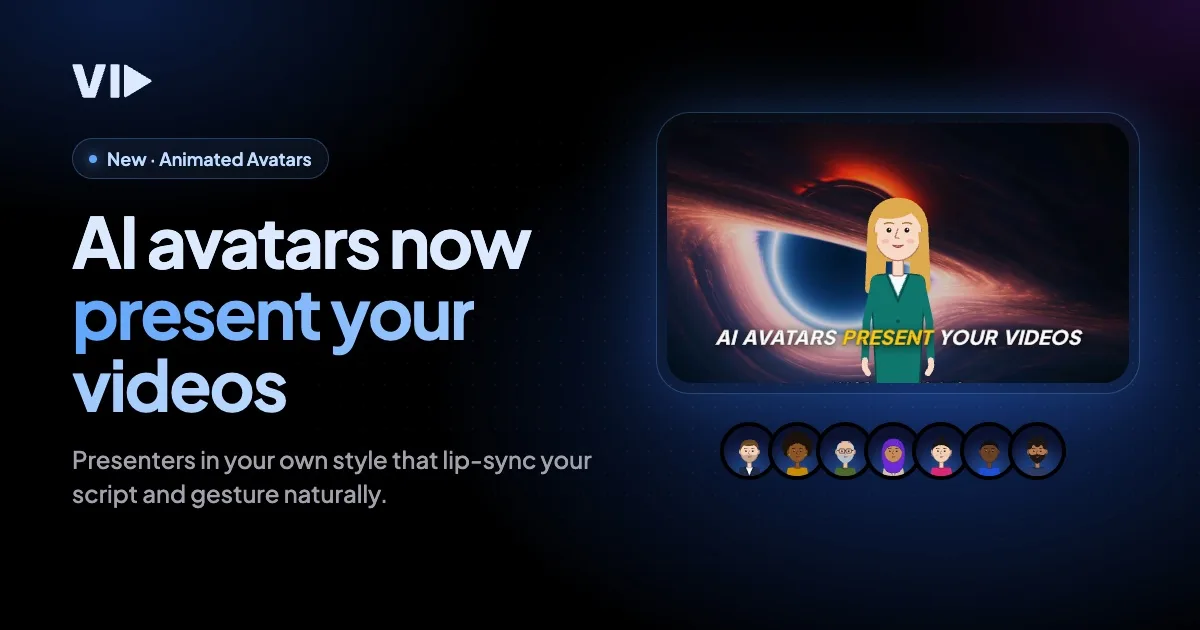
The credit maths deserves attention. Creating an avatar costs 20 credits, refunded if generation fails, and you can keep up to 20. In a video, an intro costs 10 credits, an outro 10, and on-screen moments 5 credits for every 10 percent of the video they cover.
Put that against a one-minute Short at 5 credits. An avatar intro and outro on that Short costs 20 credits, so the finished thing costs 25: five times the price of the Short without the avatar. On a Starter plan, 200 credits a month is 40 plain Shorts or 8 Shorts with an avatar top and tail.
To their credit, every one of those numbers is published in the FAQ rather than discovered on your invoice. But the ratio is not something the marketing pages put next to each other, and it is the single biggest way to burn an allowance here.
5. Voiceovers, including your own voice
33 narrators on ElevenLabs v4 or v2, any voice from the ElevenLabs Voice Library, or a clone of your own. Naming the actual vendor and the actual model version is more than most competitors do, and it means you can judge the quality before subscribing by listening to ElevenLabs demos.

6. Stock footage instead of generated scenes
Licensed Storyblocks clips matched to the script, with extra clips for long scenes. This is a quieter feature than AI generation and a more important one, which I will come back to.
7. Fake text stories and split-screen
Two formats that do numbers on short-form platforms: the staged message-thread story, and the gameplay-beside-narration layout. Both are listed as built-in formats. They are cheap in credits and they are what a large share of the faceless-content economy actually posts.
8. The whole thing, from a chat window
Covered above, and on a Starter plan it costs the same 5 credits a minute as doing it by hand. If you already live in Claude Code or Cursor, this is the feature that changes your workflow rather than just your output.
What the Pricing Page Does Not Tell You
The refund is on unused credits, not your money back
This is the most important sentence on the page to read precisely. The policy is: “If it has not been more than 30 days since your payment, we’re happy to refund any unused credits.”
That is not a 30-day money-back guarantee, and at least one published review describes it as one. If you subscribe, spend your 200 credits finding out the output is not for you, and then ask for a refund, there are no unused credits to refund. The protection covers the part you did not spend. Combined with there being no free trial, the practical advice is to make one or two videos, decide, and ask quickly if the answer is no.
The no-trial policy is at least stated plainly, with a reason: “Every video costs us real compute to generate, so we don’t offer free trials.” I would rather have that than a trial that quietly takes a card.
The long-form API is Pro only
Covered above, and worth repeating because the plan cards do not qualify it. “API and MCP access” appears on Starter with a check. The Faceless Videos API reference says a Pro subscription is required, in several places.
The homepage carries a revenue screenshot
Under a heading reading “Results from Vid.AI creators,” the homepage shows a YouTube Studio analytics panel: 261,327,336 views, 19.3 million watch hours, and estimated revenue of $302,325.63. The channel name and subscriber count are blacked out.
Beside it sit two aggregate figures, “Videos generated 100,000+” and “Combined views generated 100M+,” and underneath, the disclaimer: “These results are not typical and should not be construed as a guarantee of similar outcomes.”
The disclaimer is there, which is what the Federal Trade Commission’s endorsement guides expect alongside an earnings claim, and the company deserves credit for including it rather than burying it. What a reader still cannot do is verify anything: with the channel identity removed there is no way to know whose results these are, over what period, or what part this product played in producing them. Treat it as a mood board rather than evidence.
One more number to hold lightly. The site claims 100,000-plus creators and, separately, 100,000-plus videos generated, which would be roughly one video per creator. The first figure probably counts signups and the second may be a conservative milestone, but the two were clearly not written to be read against each other.
Who is behind it, and how you cancel
Vid.AI is operated by VidAI LLC and, per published reporting, was created by the YouTube creator Matt Par, whose business is teaching people to run faceless channels, together with Priyam Raj. Matt Par also appears on the homepage as the tutorial presenter. None of that is hidden, and the footer carries the standard “not endorsed by Facebook or Google” disclaimers you see across that part of the internet.
The practical consequence is in the cancellation path. Normally you cancel in the app’s Billing screen. But the FAQ adds: “If you paid through a third party such as Digistore24, email support for help.” Digistore24 is a reseller common to info-product launches, so depending on which funnel you arrived through, your subscription may not be cancellable from inside the product at all. Check where your receipt came from before you need to cancel in a hurry.
Smaller things
Export tops out at 1080p on every plan, including the $199 one. The homepage tutorial is labelled “Recorded a year ago, before Vid.AI 2.0,” which is an honest caption and also means the walkthrough you watch before buying does not show the product you would get. And two changelog entries quietly describe billing behaviour that used to be worse: on October 8 the editor started showing credit cost before you generate, and on October 17 a fix made avatar credits “charged only for the appearances that make it into your video.” Both are improvements. Both also tell you what was happening until last month.
Where Vid.AI Is Genuinely Better Than Its Neighbours
Three things stand out when you put this product next to the rest of the category, and they are all verifiable rather than vibes.
It licenses its footage instead of imitating it. The visuals come from Storyblocks clips with a royalty-free music library, and the FAQ states that commercial use is allowed and the music is safe on YouTube. That sounds dull next to a tool that generates any scene you describe. It is the opposite of dull if you intend to monetise. When we looked at another AI video platform in this category, its style presets were named after specific film studios and its own sample images depicted recognisable characters from those studios’ films, all while promising unrestricted commercial rights. A licensed stock library has no such problem, because somebody already paid for the licence.

Its changelog is a real one. 103 releases, 191 new features, 272 improvements and 131 fixes since the first entry on July 31, 2024, each dated and described in plain language. The cadence tells its own story: one to five releases a month for most of the product’s life, then 20 in September 2026 and 14 in the first twenty days of October. Whatever else is true, this is being worked on hard right now. It also means the version a review described three months ago is not the version you would buy.
Its structured data is honest. A small thing that says a lot. The offers published for search engines are labelled “Starter monthly” at $39 and “Starter yearly” at $369, separately and correctly. Plenty of competitors publish the discounted annual rate with no billing period attached, so a search result shows a price nobody actually pays month to month. This one does not.
Add the MCP spending cap and you have a product whose engineering decisions consistently favour the person paying. That is worth something, and it is not the usual finding in this category.
Who Should Skip Vid.AI
Anyone who needs to see it before paying. There is no free trial and the refund only covers credits you did not spend, so the minimum cost of finding out whether the output suits you is $39 and a prompt reply from support if it does not.
Anyone delivering above 1080p. The ceiling is 1080p on all three plans. For social platforms that is fine. For client work or anything headed to a large screen, it is a hard limit with no paid way around it.
Anyone who wants photoreal presenters. The animated avatars are illustrated characters with lip sync and gestures, not realistic digital humans. If a convincing on-camera person is the requirement, this is the wrong category of tool entirely.
Anyone buying Starter mainly to automate long-form over the REST API. Those endpoints require Pro, which is a $160 a month difference from what the plan card implies.
And anyone who publishes fewer than about fifteen minutes of video a month. At $39 for 40 minutes you are paying for capacity you will not use, and the per-minute rate only improves if you use the allowance. The economics here reward volume, which is the whole premise of faceless content, and punish dabbling.
Frequently Asked Questions
How many credits does a video cost?
Five credits per minute, for both Shorts and long-form, stated directly in Vid.AI’s API reference. A 60-second Short is 5 credits and a ten-minute explainer is 50. Animated avatars are charged separately on top: 20 credits to create one, 10 for an intro, 10 for an outro, and 5 for every 10 percent of a video covered by on-screen moments.
Which plan is the best value?
Pro, by a clear margin, at $0.66 a minute monthly or $0.53 yearly. Starter is next at $0.98. Plus is the most expensive per minute at $1.24, and it only makes sense if you specifically want the premium video models it unlocks rather than more output.
Is there a free trial?
No, by stated policy, because generation costs the company real compute. The 30-day refund covers unused credits only, so decide quickly after subscribing rather than spending the allowance first.
Can I really make videos from Claude or ChatGPT?
Yes. Vid.AI publishes an MCP server at vid.ai/api/mcp with one-click OAuth for Claude and ChatGPT, or a bearer key for clients that support custom headers, and it works with Claude Code, Cursor and VS Code too. The tools cover creating, editing, generating and rendering both formats. Creation draws on your normal plan credits, and every charging call accepts a max_credits ceiling the server enforces.
Do I need the Pro plan to use the API?
For Shorts, no: any active paid subscription works. For long-form Faceless Videos, yes, the API reference states a Pro subscription is required. The plan cards list “API and MCP access” on every tier without that qualification.
Can I use the videos commercially?
Yes. The FAQ says commercial use is allowed under the terms of service, and the stock music is royalty-free and safe for YouTube. Because the footage is licensed from Storyblocks rather than generated to imitate existing work, this is a cleaner commercial position than several competitors offer.
How long can a video be?
Up to 20 minutes on all plans, though the API notes your plan may enforce a lower maximum. At 5 credits a minute, a 20-minute video costs 100 credits, which is half a Starter allowance.
Final Thoughts
Vid.AI is a narrow product that knows what it is. It makes faceless Shorts and faceless explainers, it licenses its footage and names its voice vendor, and it has spent the last two months shipping at a rate most of its competitors are not matching. The pricing is flat and legible once you divide it out, which is more than can be said for most credit systems.
Its best feature is one almost nobody is talking about. The MCP server is not a checkbox: it exposes the whole workflow, quotes you an itemised price before charging, refuses any call that would cost more than the ceiling you set, and will not silently downgrade your video to something your plan can afford. If you work inside an AI assistant already, that is a genuinely different way to make content, and it is the safest metered integration I have looked at for this site.
The things to watch are ordinary rather than alarming. Plus costs more per minute than Starter and the page does not tell you. Avatars cost several times what the video they decorate costs. The refund is narrower than it reads. The long-form API needs the top plan. And the homepage sells with a blacked-out revenue screenshot, disclaimer attached, that proves nothing either way.
If you publish faceless content daily, go to Pro and ignore the middle tier. If you are finding out whether this fits, take Starter, make two videos in the first week, and decide while your credits are still refundable. And if you spend your day in Claude or Cursor, connect the MCP server before you do anything else, because that is the part of this product that does not have an obvious substitute.
You can check the current plans and the developer documentation at Vid.AI, which is where every figure above came from. For the same arithmetic applied to a different corner of this market, our guide to what AI app builders cost per project covers agent-built software, and the rest of our software and tools coverage sits alongside it.


Write Your Review
No reviews yet. Be the first to share your experience!