

Your desk is cramped, cables snake everywhere, and your monitor sits at an awkward height. A monitor stand with storage solves all three problems at once: it lifts your screen to eye level, clears clutter from your desktop, and gives you organized space for pens, supplies, and devices. Whether you work from home, manage a small office, or simply want to reclaim desk real estate, the right stand transforms how you work.
This guide reviews 12 monitor stands with integrated storage, ranging from compact single-monitor risers to expansive dual-monitor platforms. We focus on practical features: adjustable height, drawer capacity, material durability, and how well each design fits different desk sizes and work styles.



How We Picked
Our selection reflects published specifications, manufacturer documentation, and aggregated customer feedback across all 12 products. We prioritized stands that balance storage capacity with ergonomic design, considering weight limits, material quality, and real-world usability. This is a research-based editorial assessment; no product was physically handled by our team.
We ranked each stand on storage functionality, height adjustability, stability, and how well it suits different workspace sizes. Products with the most consistent positive feedback and practical features rose to the top. We also noted which stands work best for single versus dual monitors, helping you match the right option to your setup.
Buying Guide
Storage Capacity and Drawer Design
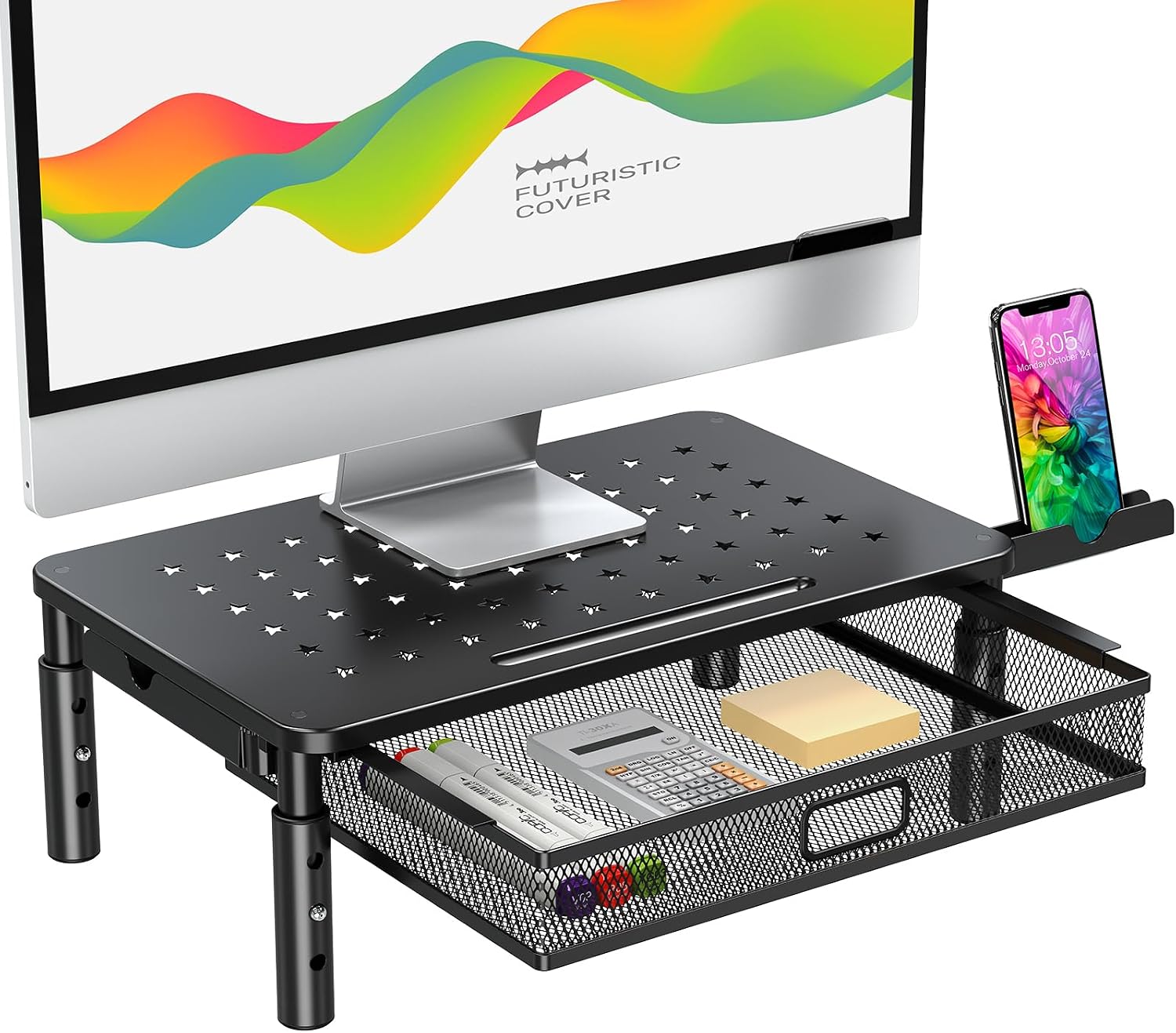
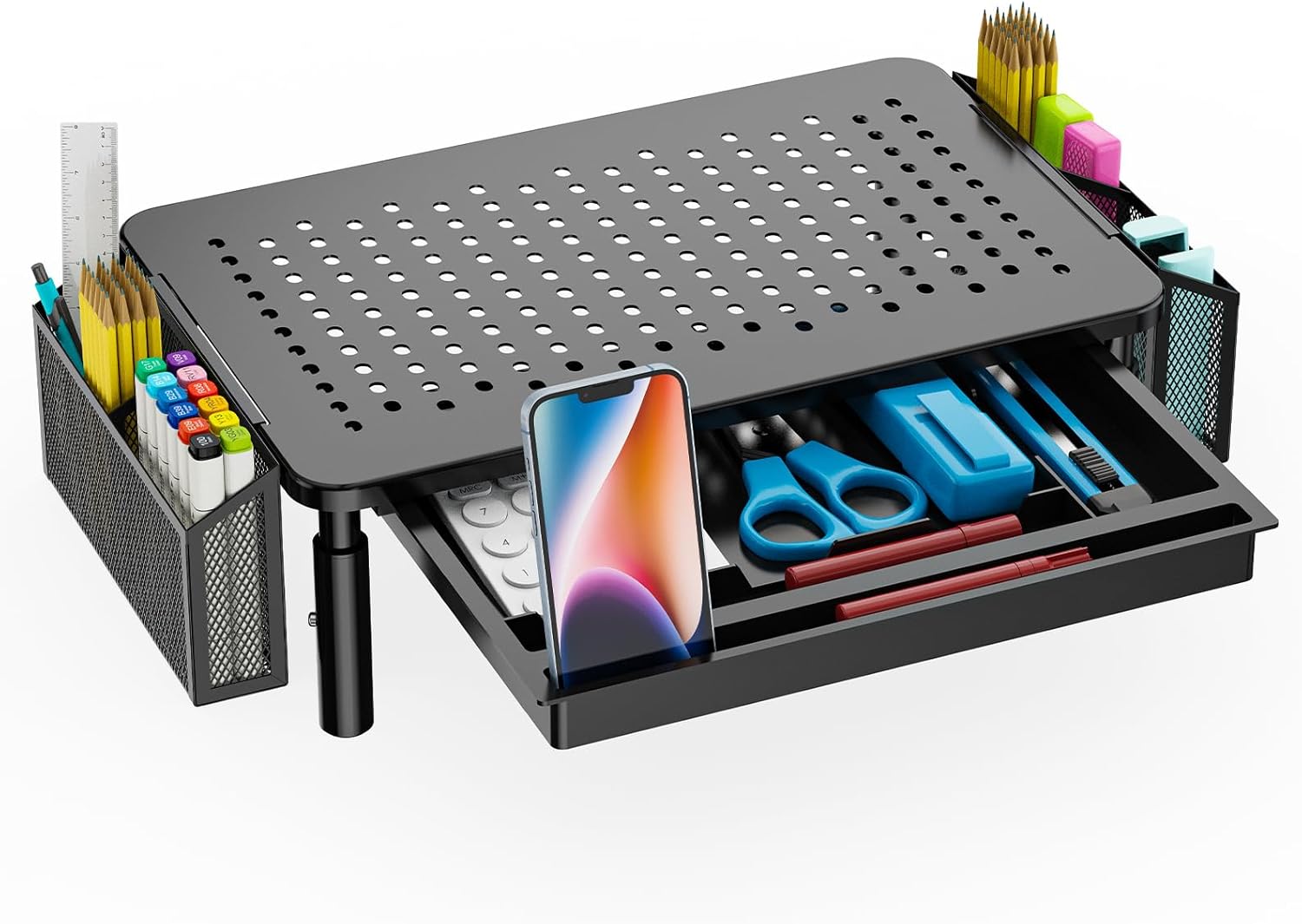
Storage quality separates a basic riser from a true desk organizer. Look for stands with metal mesh or solid drawers that hold pens, notepads, and small devices without tipping. Sliding drawers are easier to access than fixed compartments, and multiple tiers give you flexibility to store different item sizes.
Some stands feature pen holders integrated into the design, while others offer open shelves beneath the monitor platform. Consider what you actually need to store: if you have many small items, a dedicated drawer matters more than open shelf space. Stands with glass doors or transparent materials let you see contents at a glance without opening every drawer.
Height Adjustment and Ergonomics
Your monitor should sit at or slightly below eye level when you sit upright. Adjustable stands let you dial in the perfect height for your chair and desk combination. Some models offer three or more height settings, while others use a single fixed position; adjustability becomes more important if you share your desk or swap between sitting and standing.
Weight capacity matters too. Most stands support 15 to 30 pounds, which covers most modern monitors, but dual-monitor stands need higher limits. Check the manufacturer specs if you use larger displays or plan to add a second monitor later.
Material and Durability
Stands come in metal, wood, or plastic. Metal mesh construction is lightweight and doesn’t collect dust like solid surfaces. Wood stands add warmth to your desk but require more care to avoid stains and scratches. Plastic models are affordable and easy to clean, though they may feel less stable under heavy loads.
Look at reviews mentioning wobbling, drawer smoothness, and long-term durability. A stand that feels solid when you first use it should remain stable after months of opening and closing drawers. Steel and hardwood options typically outlast plastic, but all three can work if you match the material to your usage and environment.
Single versus Dual Monitor Setup
Single-monitor stands are compact and affordable, ideal for laptops, small desks, or minimal workspace. Dual-monitor stands take up more surface area but let you run two displays side by side, boosting productivity for traders, developers, and content creators. Measure your desk depth and width before buying; a dual stand can overhang or dominate a small work surface.
If you think you might add a second monitor later, a dual-monitor stand gives you flexibility even if you use only one display now. Single stands are easier to move and rearrange, making them better for temporary setups or shared spaces.
Who Should Skip These
If your monitor is permanently wall-mounted or you use an arm-based mount, a stand with storage adds no value. Similarly, if your desk is already overflowing and you lack floor or wall space to fit another piece of furniture, a bulky monitor stand might make clutter worse, not better. For ultra-minimalist workflows or desks smaller than 36 inches wide, a simple laptop stand or keyboard tray may serve you better than a full storage riser.
Final Thoughts
A monitor stand with storage is one of the easiest upgrades to improve both ergonomics and desk organization. If you need a budget-friendly option with solid reviews, the WALI Computer Monitor Stand with Storage delivers practical storage and height adjustment at an accessible price point. For those wanting a more spacious, premium feel with dual-monitor capability, the Fenge Dual Monitor Stand with Storage combines glass sliding doors with generous shelf space. Either choice will lift your screen to proper height while reclaiming valuable desk real estate.
Frequently Asked Questions
What weight can a typical monitor stand support?
Most single-monitor stands support 15 to 22 pounds, which covers most modern displays up to 27 inches. Dual-monitor stands often support 30 to 40 pounds or more. Always check the manufacturer’s weight limit before placing your monitor on the stand to ensure safe, stable operation.
Can I use a monitor stand with a laptop?
Yes. Many stands work equally well with laptops, tablets, or small monitors. If you use a laptop, pair the stand with an external keyboard and mouse so your screen sits at eye level without straining your neck. Some stands even have built-in slots or holders designed for laptops specifically.
How much storage space do I actually get?
Storage capacity varies widely. Basic stands offer a single shallow drawer holding pens and notepads. Larger models include multiple drawers, open shelves, and compartments that can hold keyboards, cables, documents, and small devices. Measure the drawer dimensions in the product specs to confirm they fit your items before buying.
Are monitor stands with storage stable enough for dual monitors?
Yes, if you choose a stand rated for dual monitors. These models have reinforced bases, wider footprints, and higher weight limits than single-monitor stands. Check customer reviews for mentions of wobbling or tipping, especially if you bump the stand or open drawers frequently. Heavier materials like steel and wood tend to be more stable than plastic.


Write Your Review
No reviews yet. Be the first to share your experience!